
Loading...
Loading...
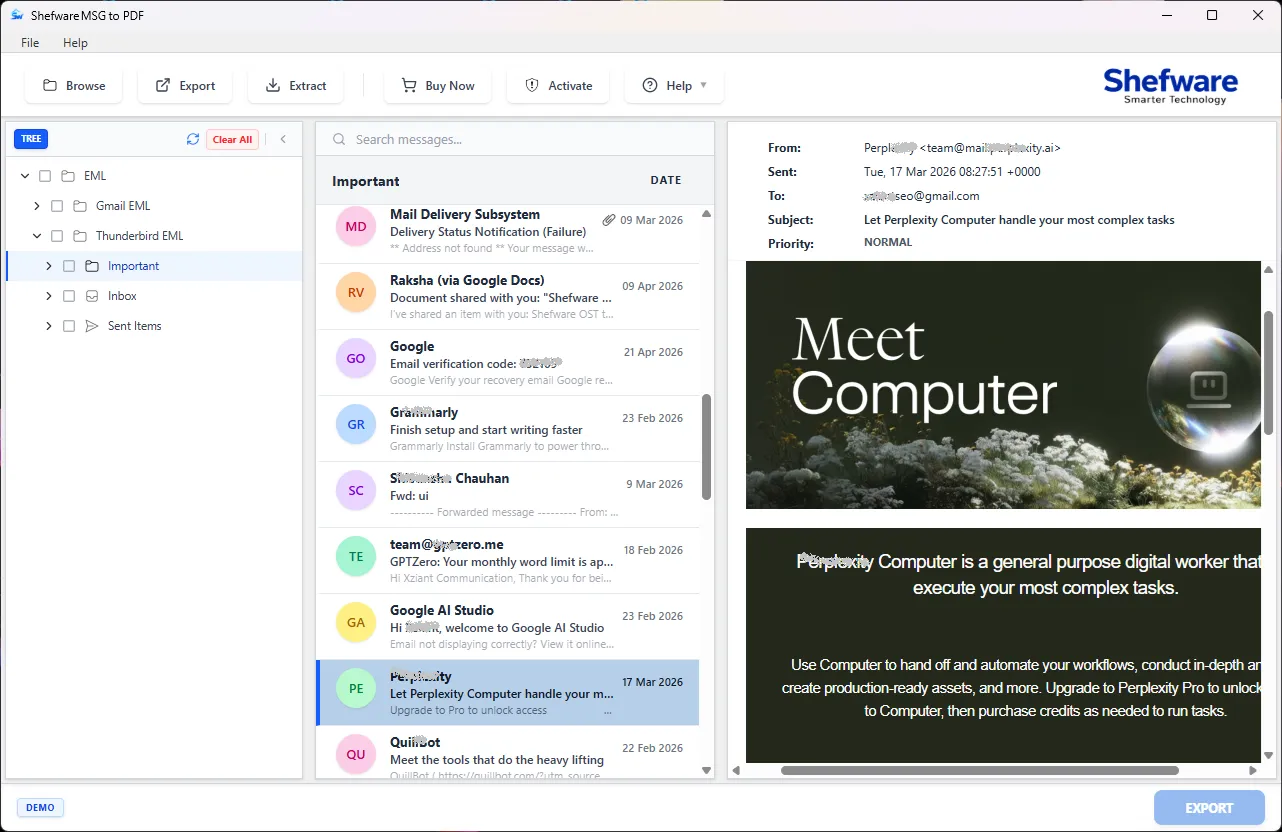
Enables conversion of Microsoft Outlook MSG files into PDF documents, including emails, labels, and headers, and extracts attachments enabling users to convert MSG to PDF without Outlook. Use our tool on all versions of Windows and Mac Operating Systems.
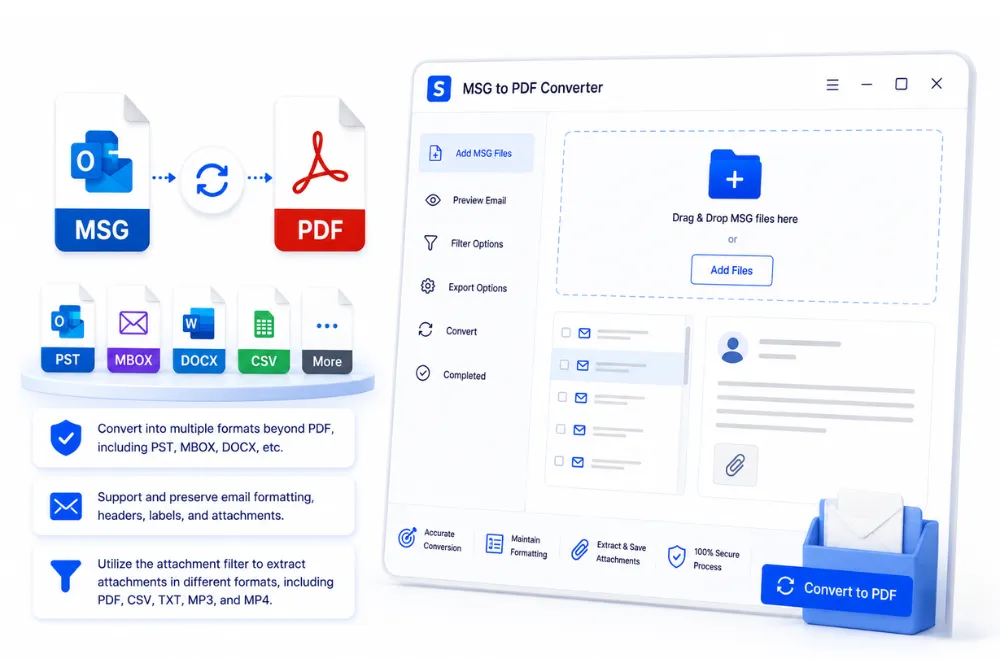
Convert into multiple formats beyond PDF, including PST, MBOX, DOCX, etc.
Support and preserve email formatting, headers, labels, and attachments.
Utilize the attachment filter to extract attachments in different formats, including PDF, CSV, TXT, MP3, and MP4.
To give a safe and protected experience of converted PDF folders, we ensure:
The Converted PDF File is safely stored on the local devices, which restricts the data transfer and safely retains all the sensitive data in the system.
Our Software is verified by SSL.com, a certifying authority, which certifies that Shefware provides an authentic and protected MSG to PDF Software.
Our tool preserves and maintains the mailbox data in the original email hierarchy and layout. It also maintains the folder structure after conversion, ensuring no changes are made to the original data.
Our Shefware MSG to PDF Tool offers various features, including:
Enables users to convert large MSG files with a large amount of data into PDF format.
Users can save Outlook emails as PDF in batch mode and convert them at once, rather than manually selecting them one by one.
Our MSG to PDF Converter offers 50 conversions per folder in our trial version, which lets users try out our tool before purchasing.
Our Attachment filter enables the user's option to include and exclude the attachment formats, ensuring that only selected attachments are displayed after extraction.
Our tool allows you to save and archive Outlook emails as PDFs, which can be accessed without any data loss.
We enable users to convert MSG files into PDF without any Outlook installation, ensuring the process is simple and quick.
Our tool offers the feature to combine all MSG emails into a single PDF file. This feature will create a single PDF File will be created for each folder.
Our Software ensures complete data integrity of users while maintaining the original structure and data within the user systems.
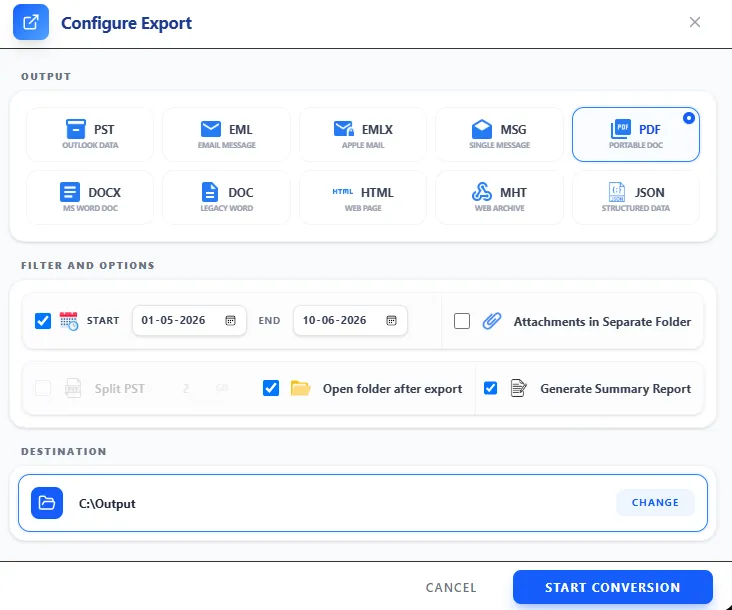
Shefware follows a simple and organised way of executing the conversion process, which features:
To extract the attachments, users have to click on the extract option.
Users have to use the filter extensions they want to include and exclude from PDF, CSV, TXT, MP3, and MP4, etc.
Read what our customers have said after using our tool:
IT Manager
“Shefware MSG to PDF Tool has made our email restoration very simple. The tool has removed the workload where we do not have to do anything manually.”
Project Coordinator
“I have converted multiple emails to PDFs, thanks to Shefware MSG to PDF Converter, and the Indexing Number and Date Labels have helped me arrange the data.”
Data Analyst
“The Shefware tool has converted MSG files in bulk to PDF, especially during a time crunch. It has given us accurate conversion efficiently. I am glad that I used Shefware for the MSG to PDF conversion tool. ”
Network Engineer
“I would like to recommend this tool to others as it has made our lives easier. Great addition to make a structured workflow in our organization.”
Digital Transformation Consultant
“Shefware MSG to PDF Software is a brilliant tool for email conversion tasks. The tool is stable, user-friendly, and performs consistently.”
Software Engineer
“I admire the way the Shefware tool has converted all our MSG files into PDF. The interface is simple and user-friendly and has saved us a lot of time.”
IT Manager
“Shefware MSG to PDF Tool has made our email restoration very simple. The tool has removed the workload where we do not have to do anything manually.”
Project Coordinator
“I have converted multiple emails to PDFs, thanks to Shefware MSG to PDF Converter, and the Indexing Number and Date Labels have helped me arrange the data.”
Data Analyst
“The Shefware tool has converted MSG files in bulk to PDF, especially during a time crunch. It has given us accurate conversion efficiently. I am glad that I used Shefware for the MSG to PDF conversion tool. ”
Network Engineer
“I would like to recommend this tool to others as it has made our lives easier. Great addition to make a structured workflow in our organization.”
Digital Transformation Consultant
“Shefware MSG to PDF Software is a brilliant tool for email conversion tasks. The tool is stable, user-friendly, and performs consistently.”
Software Engineer
“I admire the way the Shefware tool has converted all our MSG files into PDF. The interface is simple and user-friendly and has saved us a lot of time.”
Ans. Ans. Shefware MSG to PDF Converter is a desktop version of the software, which enables conversion of MSG files into PDF format
Ans. Ans. Yes, Shefware supports batch conversion, where all the files are converted at once, rather than manually converting one by one.
Ans. Ans. Yes, we offer a demo version of all the tools for the users. We normally offer 50 conversions per folder. But users are requested to contact the team for more details.
Ans. Ans. Yes, we provide the option to include or exclude the conversion of attachments. Users can easily control the type of attachments they want to convert by specifying the desired file extensions.
Ans. Ans. Users can reach out to us through our official website by using the contact number or email ID. Users can even fill out the forms with their detailed queries related to the MSG to PDF Converter tool.