
Loading...
Loading...
Our Reliable MSG Converter Tool to Export Outlook MSG Files
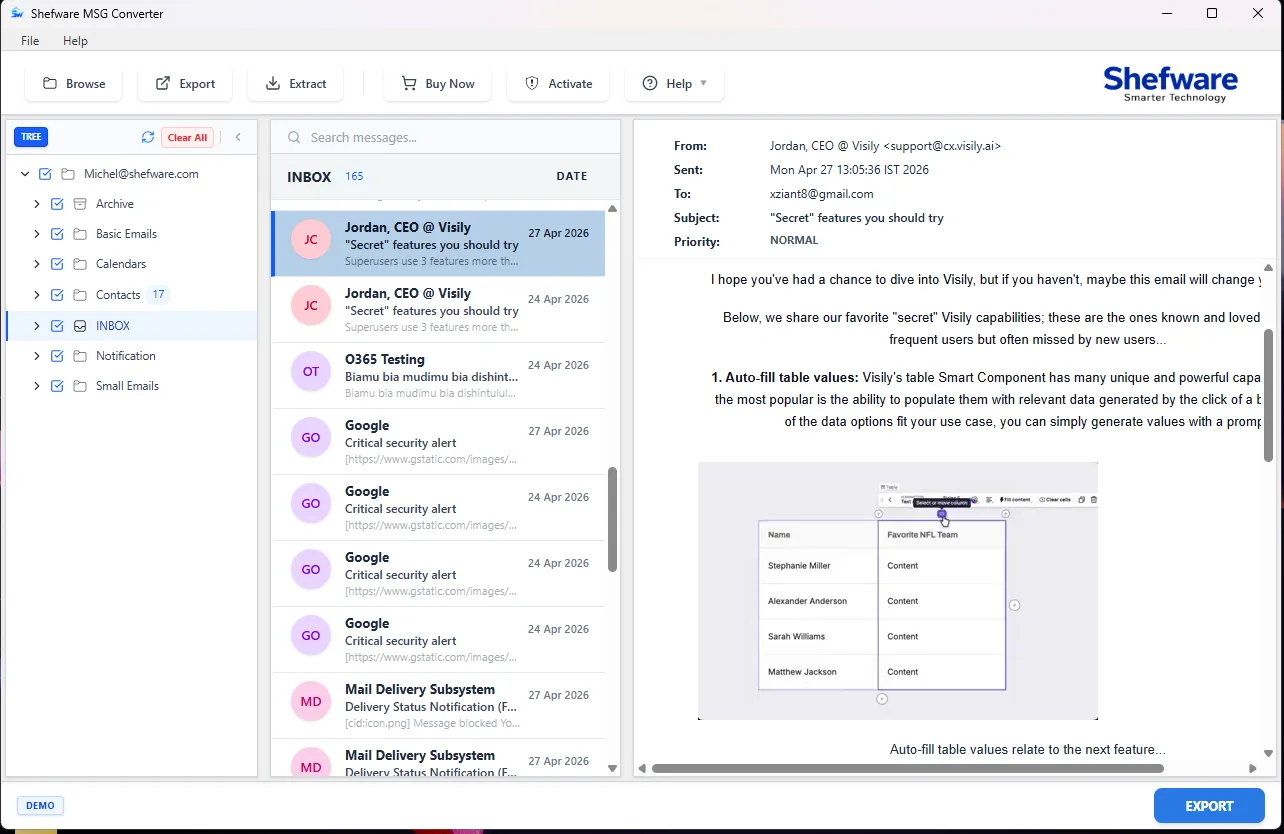
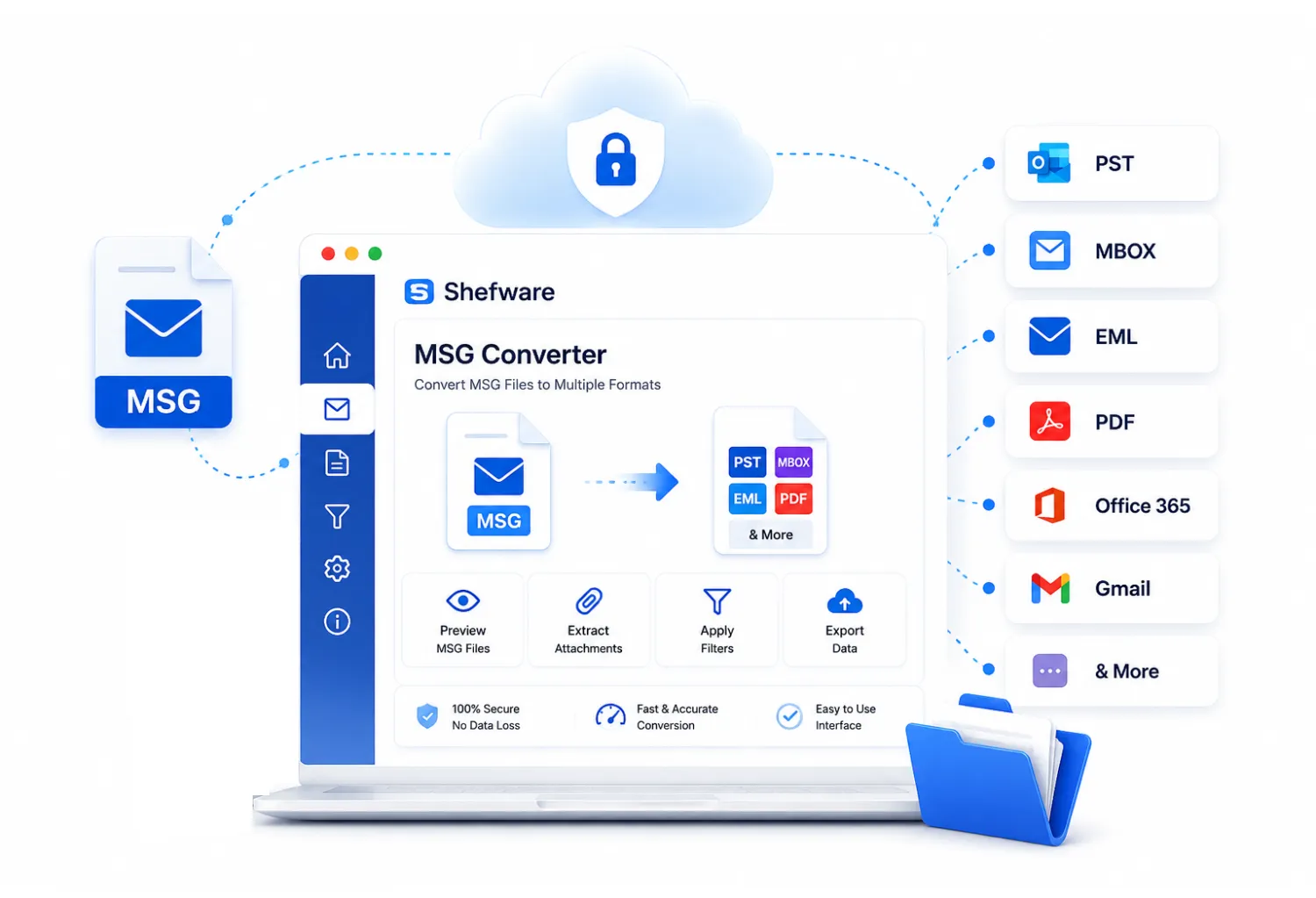
Shefware MSG file converter software is an upgraded and user-friendly solution built to convert Outlook MSG files into several file structures and email platforms without any data loss. With a transparent interface, users can smoothly preview MSG files, extract attachments, apply filters, and export data in simple steps.
Convert MSG file to PDF, PST, MBOX, HTML, and others.
Move MSG files to Gmail, G Suite, Office 365, Thunderbird, and more.
Permits saving large numbers of MSG files at once.
Use the filter like Date and Delete Duplicate from the particular migration.
Convert MSG files without any file size limitation.
Split PST files and reject the attachments.
Select the source and destination for the output folder.
Convert MSG files into multiple formats to support migration to different email clients and cloud-based services. Ensure smooth data transfer with no data loss.
Convert MSG files to PDF, EML, and other formats so that recipients can see emails without installing MS Outlook.
Gathering crucial MSG emails in standard file formats for long-duration backup and future access. It helps in maintaining organized and searchable records.
Shefware provides secure MSG conversion with complete protection of emails, attachments, and mailbox data.
Works offline, so no data gets uploaded to any kind of server, no internet reliability, and you have complete control over email data.
We never store or share your email data with third parties. So, there is no risk of data breach and unauthorized access.
We do not need Microsoft Outlook, so there is no risk of profile-related data, and it works alone in a safe environment.
Email attachments are extracted safely, not altered, and saved in the same format, which is important.
We easily convert MSG files without Outlook, which eliminates reliability. So that users can convert MSG files without Outlook.
Converts MSG files to various platforms, including MSG to PST converter, MBOX, PDF, DOCX, DOC, HTML, MHT, EML, and EMLX.
Supports direct migration of MSG files into various email clients such as Gmail, Yahoo, Office 365, Thunderbird, and IMAP accounts.
You can convert MSG files with email attachment elements such as sender, receiver, date, time, images, and links from the file.
Offers batch convert MSG files that convert files in one go within one minute. It permits users to convert files in bulk.
When saving an MSG file, the tool offers multiple options to save the file. A user can save an MSG file with any desired naming convention for easier management.
Uses advanced filter options such as include extensions and exclude extensions while extracting the attachments.
If your MSG file is too big to convert, you can export various PST files through the Split large PST feature.
Convert emails, attachments, and mailbox folders into PST format while maintaining complete structure and integrity.
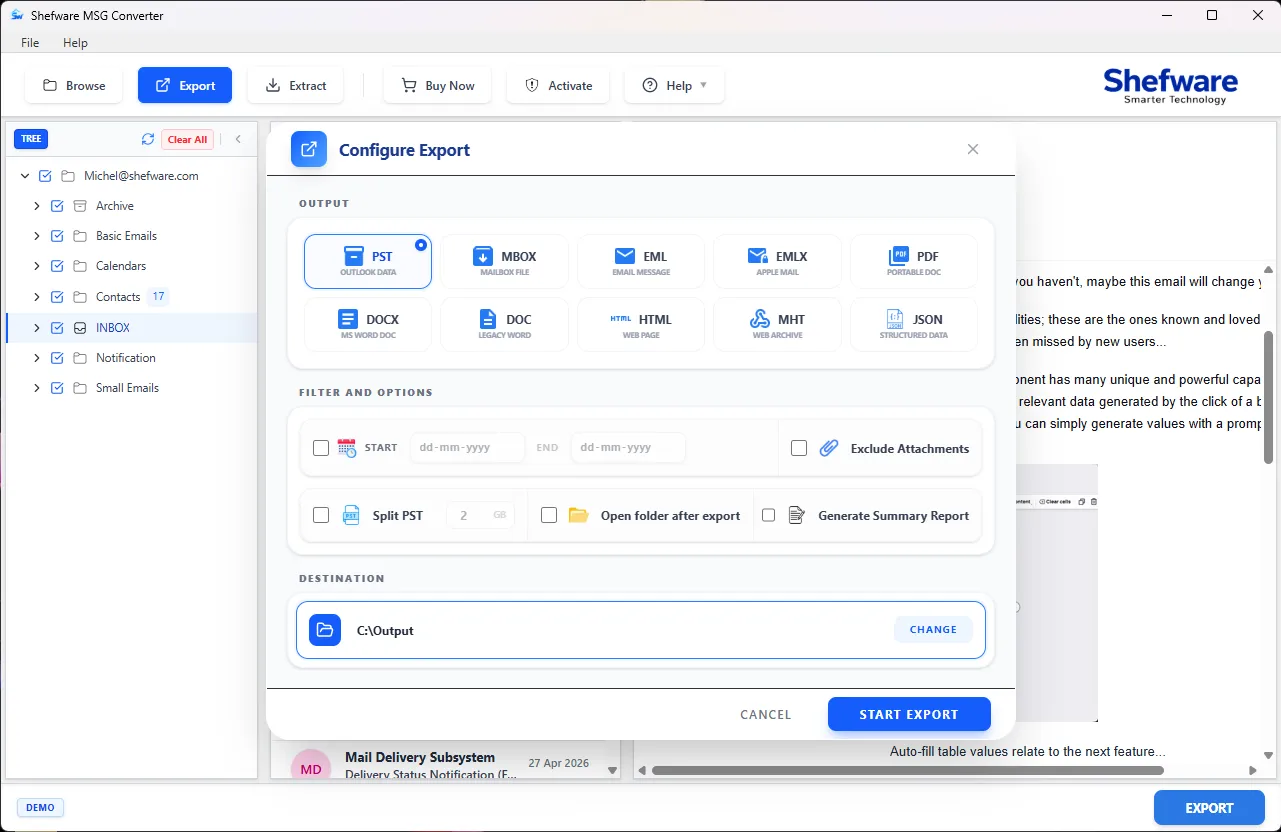
Download and install the MSG Converter. Click browse to add MSG files and see them in an organized folder sequence.
Preview email information, containing sender, recipient, date, subject, and attachments. If required, extract attachments separately using available options.
Click on the export and select from the 9 output formats, such as PST, MBOX, PDF, DOC, DOCX, HTML, MHT, EML, and EMLX, as per your requirement.
Now, select the destination where your files will be saved. Optionally, use filters to include or exclude specific emails during conversion.
Now, click on the convert to start the process while managing the email content, attachments, data, and format.
When the conversion process is finished, save your file in the selected destination.
Maintains original email properties, including 'To', 'Cc', 'Bcc', 'Subject', and embedded images, ensuring zero data loss during conversion.
Convert hundreds of MSG files simultaneously with our high-speed processing engine, saving your valuable time and effort.
An independent software solution that performs conversions efficiently without needing MS Outlook or any other third-party application installed.
Use date-range filters and specific folder selection to convert only the relevant emails, avoiding clutter in your target destination.
During server migration, I had various MSG files for converting quickly. The Shefware MSG Converter's entire process was smooth and easy to use. All my email data got saved safely.
IT Manager
While managing the case records, I was required to convert MSG files and maintain the metadata. Shefware tool offers a very dependable tool for managing the email data. It manages the formats and metadata as per the need.
Legal Advisor
I was dealing with big MSG file conversions and looking for a tool that offers batch mode. With the help of the Shefware MSG Converter tool, the huge conversion was quick. The software managed the MSG files without any problem.
System Engineer
Before archiving emails, I wanted to verify the necessary messages. So, I came across the Shefware converter tool. The interface is transparent and easy to use. The preview feature I like the most is to verify emails before the conversion process starts.
Business Analyst
During the process, the management of attachments was my first concern. The Shefware tool attachment feature worked amazingly, and it saved me a lot of time during the migration process.
IT Consultant
For checking a project, we required formatted, steady email data. The Shefware tool gives a steady performance. The files were structured and the same with the exact data.
Project Manager