
Loading...
Loading...
Enables you to open, view, and read all the MBOX files using the Shefware MBOX Viewer Desktop Software. Preview the attachments, such as PDF, image, and other documents, effortlessly. No Email Client Installation needed. Choose the best MBOX Viewer for desktop to view and read.
Open and preview MBOX Files on Windows and Mac Operating Systems
Use the tool to view and read without an email client dependency
Use MBOX Viewer Offline - No internet required
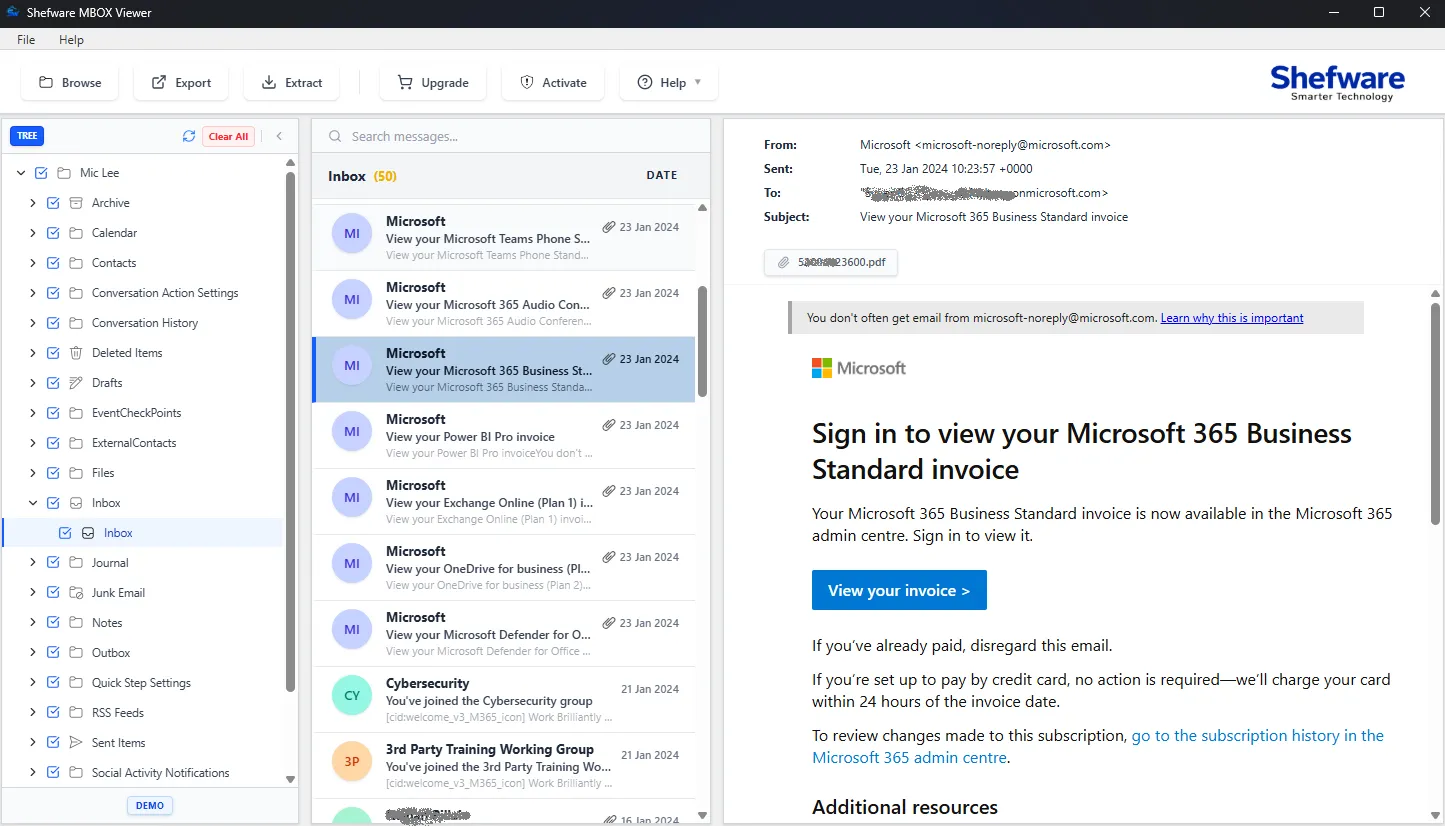
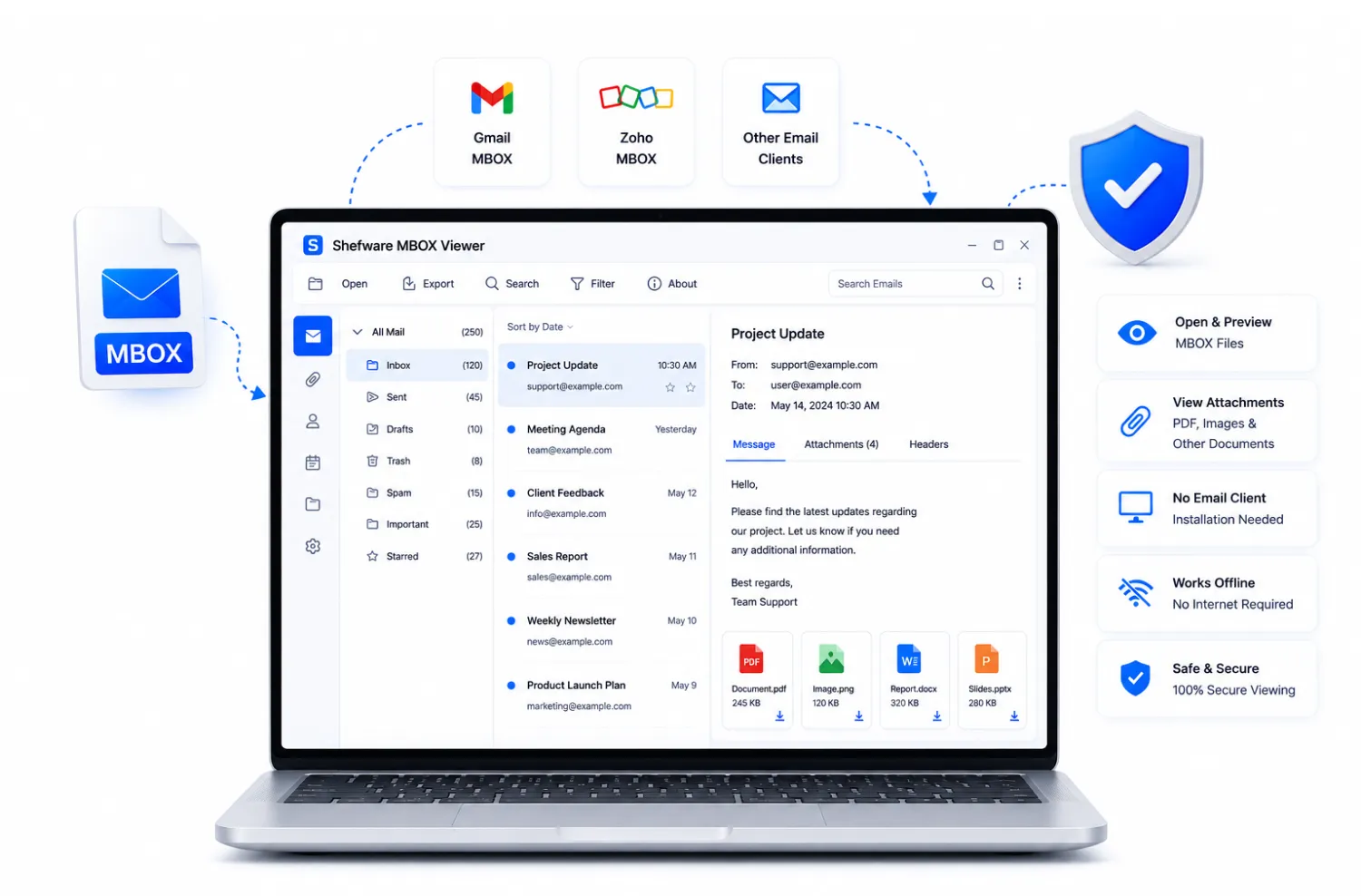
Fully compatible with all versions of Windows, Mac, and Linux operating systems.
Enables the preview of the MBOX emails with the email headers.
Browse and view MBOX files without email client requirement.
Supports the MBOX Files from different clients, such as Mozilla Thunderbird, Apple Mail, Google Takeout, Eudora, etc.
Displays the Metadata Report, which includes Items in Folders and Selected Folders.
Automatic first file selection by default in the folder view for quick preview.
Preview the email and the email layout with the headers, including the sender’s address, the receiver’s address, the subject, and the date, etc.
Organize and manage the original email structure and layout
Open and read the MBOX files in the original size and unmodified size.
Our Shefware MSG to PDF Tool offers various features, including:
Supports all versions of Windows, Mac, and Linux operating systems, ensuring smooth and native execution across diverse enterprise environments.
Select any file to instantly process and view structural records. Read comprehensive contents alongside active attachments in real-time.
Operates as a completely independent binary. Open and extract database contents directly without installing MS Outlook, Thunderbird, or any email client.
Automated analysis panels automatically calculate and display folder metrics, total message density, and deep structural data without manual overhead.
Engineered with an optimized memory indexing algorithm to parse and open large, multi-gigabyte MBOX mailboxes seamlessly without application stalls.
Retains absolute structural fidelity. The system maps the original folders, structural subdirectories, metadata fields, and layout alignments perfectly.
Skip slow bulk sequential rendering. Target specific internal partitions directly and extract exact nodes to isolate critical data components faster.
Download the robust demonstration copy to evaluate performance speeds, complete interface modules, and read infinite archive configurations first-hand.
Follow the simple and easy steps to use the professional tool to preview the MBOX files:
Go to any web browser and search for the Shefware MBOX Viewer Converter tool.
Download the software and install the application in the system.
Click on Browse and select the folders that are required to be viewed and read.
View the selected emails and folders, email headers, etc.
Here is what the clients have to say after using the MBOX Viewer Software:
Data Scientist
“I had various large-sized MBOX files that required analysis, but manual analysis was impossible. Therefore, I chose Shefware MBOX Viewer Desktop for offline viewing. It was so easy to use, and I am honestly quite impressed.”
Cybersecurity Analyst
“I am so glad that I was recommended by the offline MBOX Viewer Tool. It has made all my tasks easier, which were earlier impossible to perform. I am amazed by the team’s involvement in terms of knowledge, which is rare to find.”
Cloud Architect
“Using the professional MBOX Viewer Software to view and read the MBOX files is easy and simple. I am not only able to read the selected emails, but also the email layout, such as To, From, and Subject.”
Network Engineer
“I had a large set of MBOX folders and files, and was concerned to organize them properly. But the metadata report is helpful because I can look at the selected folders and the selected items without doing anything manually.”
Project Manager
“The organization’s workflow handling has become smoother than ever. I can totally rely on the Shefware MBOX Viewer Tool to preview the large MBOX files. It is brilliant, and I will use it in the future as well.”
Software Developer
“I was worried that I might not be able to preview the emails. And I will have to do it manually. But I am so glad that I trusted the software; it is so much easier to preview the attached files. Thank you to the team for designing the tool for the benefit of the users.”
Data Scientist
“I had various large-sized MBOX files that required analysis, but manual analysis was impossible. Therefore, I chose Shefware MBOX Viewer Desktop for offline viewing. It was so easy to use, and I am honestly quite impressed.”
Cybersecurity Analyst
“I am so glad that I was recommended by the offline MBOX Viewer Tool. It has made all my tasks easier, which were earlier impossible to perform. I am amazed by the team’s involvement in terms of knowledge, which is rare to find.”
Cloud Architect
“Using the professional MBOX Viewer Software to view and read the MBOX files is easy and simple. I am not only able to read the selected emails, but also the email layout, such as To, From, and Subject.”
Network Engineer
“I had a large set of MBOX folders and files, and was concerned to organize them properly. But the metadata report is helpful because I can look at the selected folders and the selected items without doing anything manually.”
Project Manager
“The organization’s workflow handling has become smoother than ever. I can totally rely on the Shefware MBOX Viewer Tool to preview the large MBOX files. It is brilliant, and I will use it in the future as well.”
Software Developer
“I was worried that I might not be able to preview the emails. And I will have to do it manually. But I am so glad that I trusted the software; it is so much easier to preview the attached files. Thank you to the team for designing the tool for the benefit of the users.”
Yes, the Shefware MBOX Viewer tool enables users to view emails without requiring an email client.
Yes, the MBOX Viewer software is designed to enable users to preview the large MBOX files regardless of size.
Yes, users can download and install the MBOX Viewer Tool and easily access the software without any internet requirement.
Yes, to ensure transparency, we enable users to preview the unlimited MBOX Files.
Follow these steps to open a MBOX file on Windows: Step 1: Download and install the Shefware MBOX Viewer Desktop version on the system. Step 2: Open the application, browse the files, and import the folders. Step 3: Select any particular file to preview the emails and attachments.
The Shefware MBOX Viewer Software supports the preview of MBOX Files from different email clients such as Thunderbird, Apple Mail, Eudora, etc.
Yes, absolutely, the professional MBOX Viewer enables users to seamlessly preview the files and attachments without any interruptions.
MBOX Viewer Offline Software supports different operating systems such as Windows, Mac, Linux, etc.
No, we ensure that the interface is absolutely user friendly that helps the users to navigate through the software for both beginners and experts.
The metadata report feature is basically added to display the number of selected folders and the items in the folders.