
Loading...
Loading...
Convenient & Streamlined EML to PDF Conversion
EML to PDF Software enables users to convert EML email files into a PDF document, with the email header including sender, recipient, body, and attachments. This tool allows users to preview the email files while preserving the original email hierarchy and structure.
Users can easily convert a single file or multiple EML files into PDF.
Experience 24*7 client guidance and mentorship post conversion
Choose all the files or select a specific one to be converted into a PDF
Our Shefware file formats support multiple file formats.




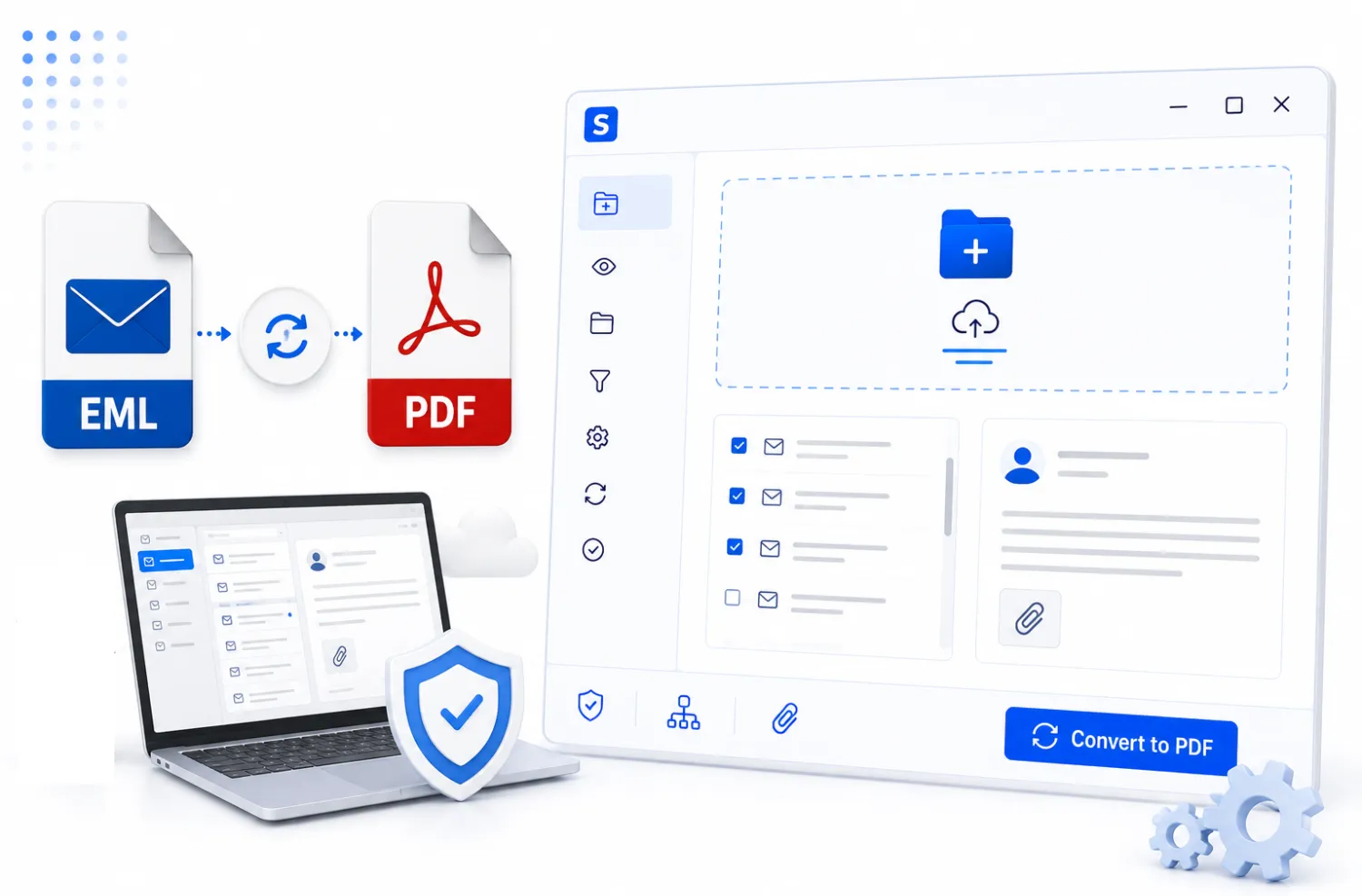
At Shefware, users are assured that all their mailbox data is safe and protected due to the advanced data protection tools used.
Our tool performs the entire conversion process without modifying the original files, ensuring complete data safety. If any changes occur, they will affect the output file and not the original user data.
Our tool does not retain or store any user data after the conversion process. All data is securely stored on the user’s local system, ensuring data integrity.
Our tool ensures data safety by allowing users to view EML files before conversion. This tool lets users open, view, and read their EML Files and verify their data accuracy.
Our tool preserves and maintains the original data during the entire conversion process. This enables users to keep their data in the original format, ensuring no data loss.
Our Shefware EML to PDF Converter is designed to convert email messages and databases into PST to store multiple data:
Shefware EML to PDF Tool is designed to be compatible with all devices and all versions of Outlook from 2007, and easily transfers all data.
Apart from the PDF file format, we have other file formats that can be exported into, such as MBOX, MSG, PST, EMLX, etc.
Shefware is committed to preserving and maintaining data by not retaining any user data on our servers.
We provide the feature of selective export, where users can choose to export only specific files or data.
The EML to PDF conversion is handled seamlessly and quickly because our software easily converts the files, depending on the size.
Our EML to PDF Software is developed to convert multiple file sizes at once, whether it is large or small, rather than manual conversion.
Users are provided with the attachment filter to enable them to include or exclude attachments from the email folder they want to convert.
Users are provided with our free trials with 50 items per conversion, which they can test and evaluate before purchasing our tool.
At Shefware, we convert EML to PDF files. We follow an organized and structured policy to ensure that the whole migration process is smoothly executed
Download and Install Shefware EML to PDF Converter and open the software.
Open our Software and click on Free Trial to use the demo version.
If already purchased, click on activate to register fully
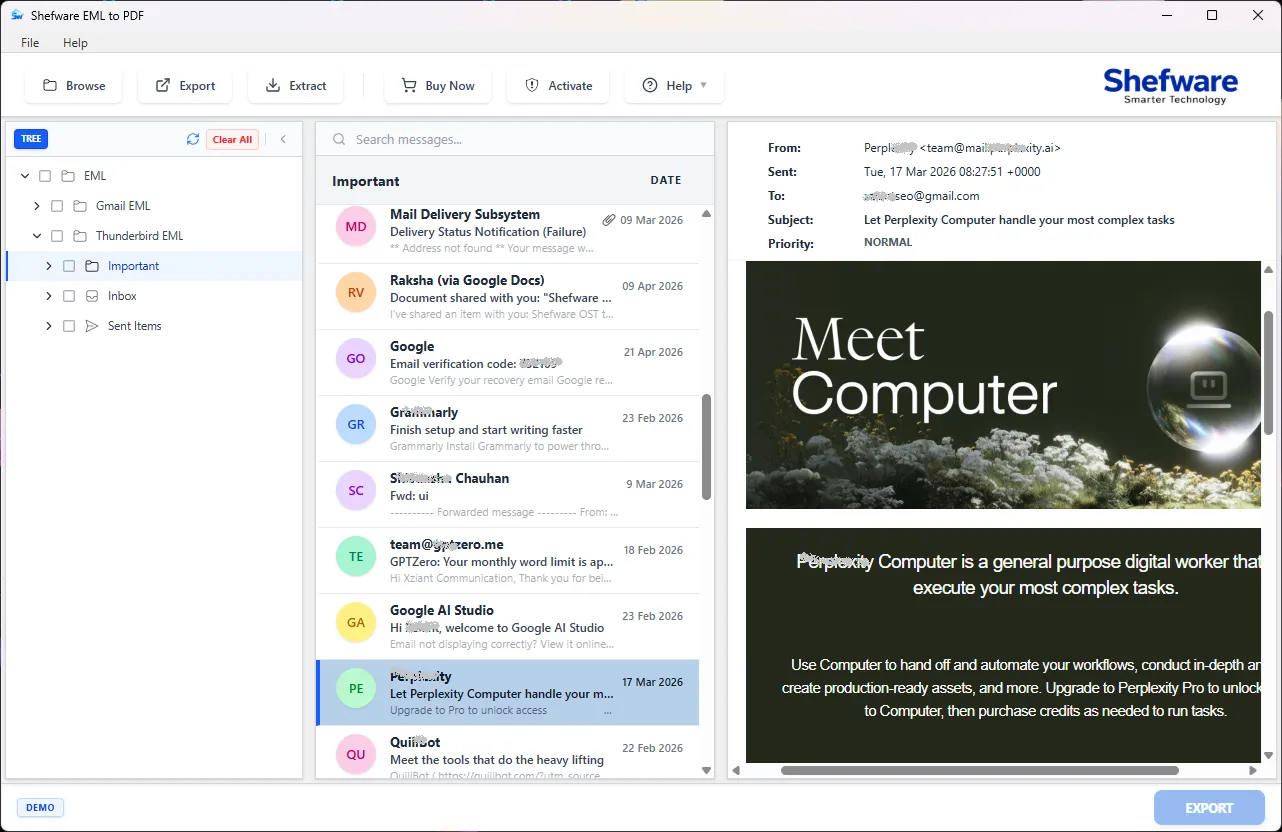
In this step, users can add the EML files they want to convert to PDF format
Click on Browse Mailbox to add the folder that has all the mailbox data
Before the EML to PDF Conversion starts, users can preview all their mailbox data
There is no automatic default file preview enabled, so users need to manually select the emails they want to view.
Select the particular emails of the files to show a preview. It is beneficial for the users to verify if their added folders are accurate or not
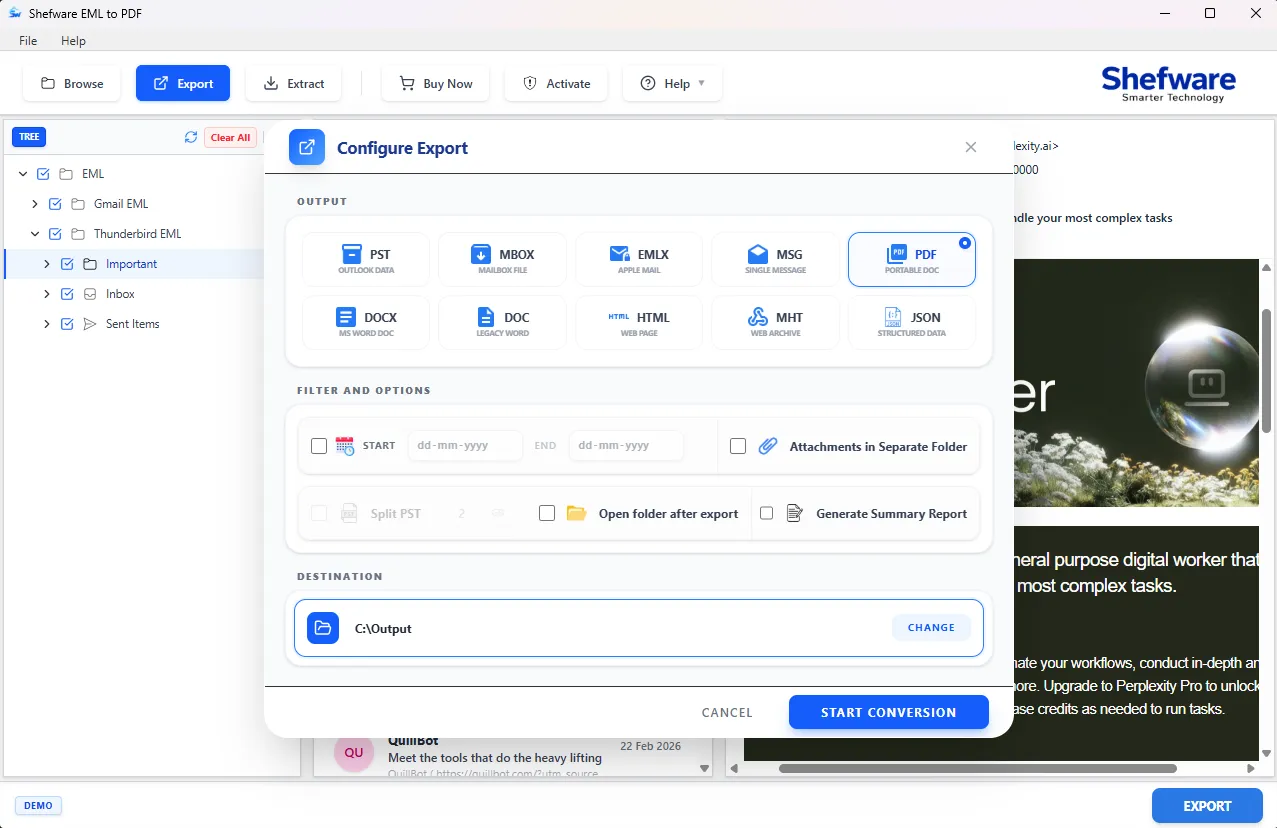
Click on the Export & Filter Option, where the Export Window will appear
Select the EML File to export
Select the filter option and click on the date filter
Select the location file where the converted file will be retained
Lastly, click on the Conversion Button and verify if the converted PDF files contain all the accurate data
There is no consecutive step to extract attachment in the process. Users need to manually click on the Extract Tab to extract attachments.
Click on the Extract Tab, a panel appears where the destination folder of the attachment files post the extraction will be displayed.
Enter the attachment formats in the Include or Exclude Attachments.
Click on Start Extraction, find your file in the destination path.
See what our customers are saying about their experience with our EML to PDF Software:
IT Manager
“Shefware EML to PDF made converting hundreds of emails effortless. We were able to preserve all the files securely.”
Project Coordinator
“I was amazed at how fast the batch conversion worked. Shefware saved me hours of manual work.”
Marketing Manager
“It is an accurate and secure conversion. Shefware keeps all attachments and headers intact, which is crucial for our organization’s growth.”
Administrative Executive
“Shefware EML to PDF is a user-friendly interface with competent output.” Here, in our company, everyone can share the emails in PDF with Clients.”
Legal Assistant
“The Shefware EML to PDF is valuable for our organization. It is quick, reliable, with its brilliant results.”
HR Specialist
“I recommend Shefware to everyone who is facing issues in converting EML to PDF. It has made the email documentation simple at the same time professional.”
IT Manager
“Shefware EML to PDF made converting hundreds of emails effortless. We were able to preserve all the files securely.”
Project Coordinator
“I was amazed at how fast the batch conversion worked. Shefware saved me hours of manual work.”
Marketing Manager
“It is an accurate and secure conversion. Shefware keeps all attachments and headers intact, which is crucial for our organization’s growth.”
Administrative Executive
“Shefware EML to PDF is a user-friendly interface with competent output.” Here, in our company, everyone can share the emails in PDF with Clients.”
Legal Assistant
“The Shefware EML to PDF is valuable for our organization. It is quick, reliable, with its brilliant results.”
HR Specialist
“I recommend Shefware to everyone who is facing issues in converting EML to PDF. It has made the email documentation simple at the same time professional.”
Ans. Ans. Shefware EML to PDF converts an email file into a portable PDF document, including the emails, attachments, and headers.
Ans. Ans. At Shefware, we are committed to maintaining the data integrity of the users by keeping the data safe and protected.
Ans. Ans. Definitely, Shefware is developed to be compatible with both Windows and Mac to execute the conversion process.
Ans. Ans. Yes, Shefware supports batch EML-to-PDF conversion, where all mailbox data is automatically converted at once.
Ans. Ans. Users can directly reach out to us at our official contact number and email address. Users can fill out the form and provide their query in detail. Our team will review the user’s query and respond to it as soon as possible.
Ans. Ans. Our EML to PDF Converter stands out because it support multiple file formats while preserving the original hierarchy. All the converted files are stored on the user system, ensuring data integrity.
Ans. Ans. Our tool offers 50 items per conversion in our free trial fo the users to experience our EML to PDF Converter tool before actually buying our tool.
Ans. Ans. Yes, our tool provides advanced search feature to easily filter the required files for the conversion.
Ans. Ans. Yes, users have to select manually the location path to export the converted PDF files post the conversion process.
Ans. Ans. No, our tool offers unlimited file size upload and conversions. There is no size limitation for the users so that they can easily convert bulk or small volumes of data.